Using Peerfold MCP with Slack & Slackbot
Learn how to create courses, manage learners, and pull analytics entirely through Slackbot and the Peerfold MCP integration. No browser tab required.
- 23 lessons
What You'll Be Able to Do
- Build a complete Peerfold course — chapters, lessons, exams, and all — entirely from Slack
- Enroll individual learners or entire teams in seconds using natural language
- Track learner progress, completion rates, and certificate status on demand
- Run workspace and per-course analytics without opening the Peerfold admin UI
- Set deadlines, identify overdue learners, and follow up — all from one Slack conversation
- Save repeatable workflows as Slack Skills and schedule them as automated Tasks
- Manage community rooms, learning programs, and certificates via Slackbot
Course outline
6 chapters · 23 lessonsGetting Started4 lessons
- Locked: Your First Conversation with SlackbotLesson
- Locked: Connecting Peerfold MCP to SlackLesson
- Locked: What is Peerfold MCP?Lesson
- Locked: Chapter 1 QuizLesson
Course Authoring in Slack6 lessons
- Locked: Creating a Course from ScratchLesson
- Locked: Building Chapters and LessonsLesson
- Locked: Writing Lesson Content with BlocksLesson
- Locked: Adding Exams and QuizzesLesson
- Locked: Publishing and Running a Health CheckLesson
- Locked: Chapter 2 QuizLesson
Learner Management4 lessons
- Locked: Enrolling LearnersLesson
- Locked: Tracking Progress and CompletionsLesson
- Locked: Managing Deadlines and Overdue LearnersLesson
- Locked: Chapter 3 QuizLesson
Analytics & Reporting4 lessons
- Locked: Workspace-Level Analytics DashboardLesson
- Locked: Course Stats and Completion RatesLesson
- Locked: Organizational Progress for B2B TeamsLesson
- Locked: Chapter 4 QuizLesson
Advanced Workflows & Pro Tips4 lessons
- Locked: Combining Slackbot + Peerfold for Full AutomationLesson
- Locked: Building Skills for Repeatable WorkflowsLesson
- Locked: Community, Programs & Certificates from SlackLesson
- Locked: Chapter 5 QuizLesson
Final Exam1 lessons
- Locked: Final ExamExam
About Your Instructor
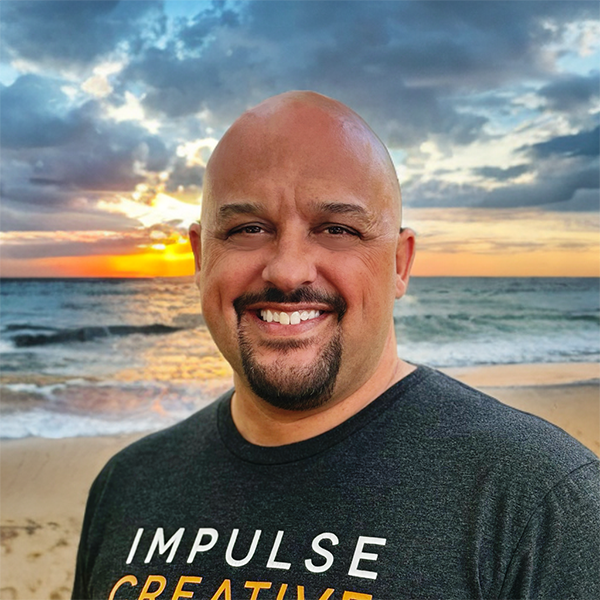
Remington Begg
Chief Remarkable Officer, Impulse Creative
Remington is the CRO at Impulse Creative and one of the earliest adopters of the Peerfold MCP + Slack integration. He built this course — end to end — entirely through Slackbot, as a live demonstration of what the integration makes possible.
Frequently Asked Questions
Do I need a Peerfold account to take this course?
You don't need one to learn the concepts. To practice hands-on, you'll need a Peerfold workspace with MCP enabled and a Slack workspace where Slackbot is available.
Who can enable the Peerfold MCP integration?
A Slack workspace admin enables it once from the Slackbot settings page. After that, everyone in the workspace can use it through their Slackbot DM.
Do I need to know how to code or use APIs?
Not at all. Everything in this course is done through plain English conversations with Slackbot. No commands, no syntax, no technical background required.
How long does this course take to complete?
Most learners complete it in 60–90 minutes. Each chapter is designed to be standalone, so you can dip in and out as your schedule allows.
Is there a final exam?
Yes! The course ends with a comprehensive 12-question final exam covering all five content chapters. You'll need a 75% passing score to earn your certificate.
How many attempts do I get on the final exam?
You get 3 attempts on the final exam. Results are shown immediately after each attempt so you know exactly where to review.